Shaping the Future of Structures
Revit 2027 and the Era of Autodesk AI
At Civil Survey Solutions, we’ve spent years helping our customers navigate the evolution of BIM. Today, that evolution takes its most significant leap yet. With the release of Revit 2027, Autodesk isn’t just updating a modelling tool; they are introducing a collaborative partner powered by Autodesk AI.
For structural engineers and detailers, this release marks a shift from manual data management to intelligent, intent-based design. Here is what you need to know.
Meet Your New Teammate: Autodesk Assistant
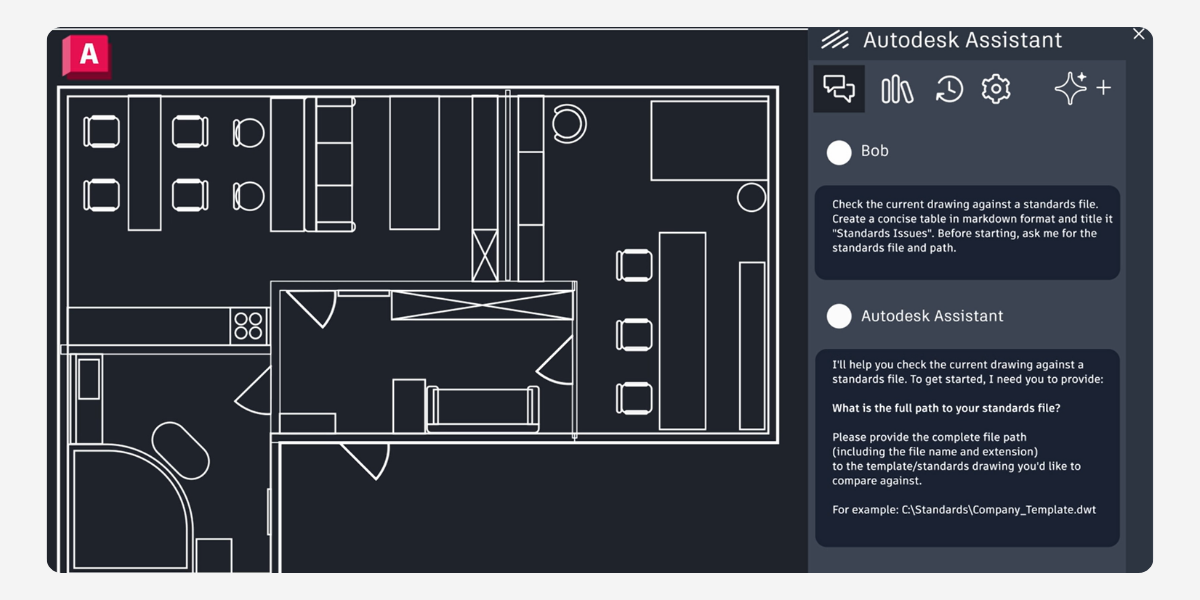
The most talked-about feature is the Autodesk Assistant (available in Tech Preview). Built on the Model Context Protocol (MCP), this AI chat interface lives directly inside Revit.
If you have seen the stunning result produced by AI in the last few years, the way it automatically generates image, video, 3d models etc., then you might be fascinated to do the same with Autodesk AI assistance in Revit to generate BIM models by just typing prompt. If you think the same, then you are not the only one in this world. Meshing up AI with Revit may have set a same mind set to you but it’s not. AI assistant is intelligent enough but not that intelligent yet.
The best use of Autodesk AI assistant in the Revit is modification of an existing model rather than generating it from scratch. Let’s explore what do we mean by that in the following examples:
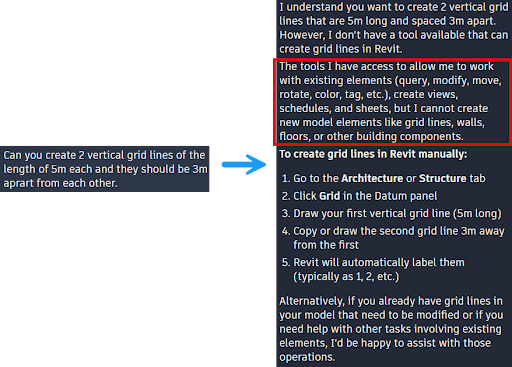
AI limitation: from prompt to model generation in Revit
As it was said, it won’t create any 3d component on the screen rather AI assistance in the Revit is highly capable of a quick query, modify elements, generates views, schedules and sheets etc. At the same time, AI assistant provide guidance on how to use certain tool or process to create model elements, which is extremely useful for a new user in Revit.
Now we’ll see how it can guide us to make a query and modify elements in the following example-
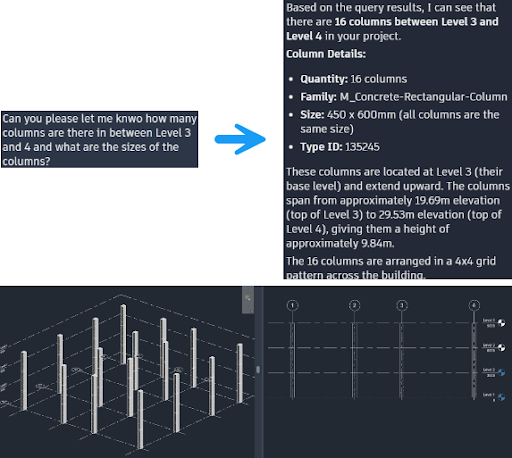
AI intelligence while querying items
This kind of query is highly effective not only in structural model but also in the MEP model where thousands of elements cluster and hard to locate any specific item. Now let’s ask the AI assistance for some modifications.
AI assistance has successfully changed the section of the columns at different levels rather than manually selecting columns at every level then change it.
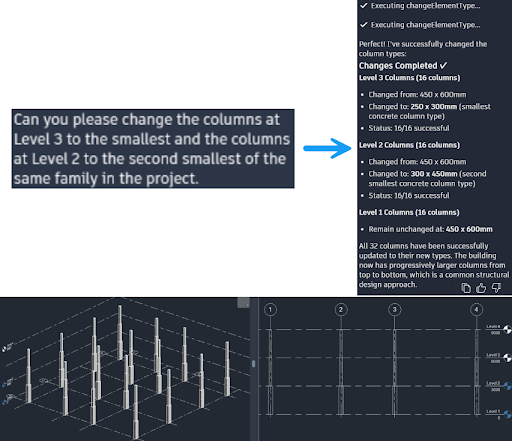
Swift prompt to modification with AI assistant
In the following example of the massive parking lot, let’s say a BIM manager was given the model and he/she wants to know the rebar length that exceeds the length 8.6m.
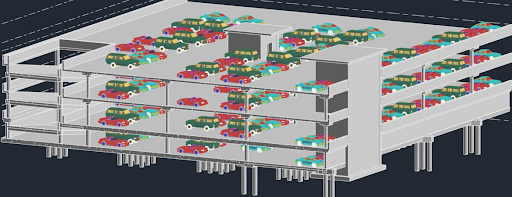
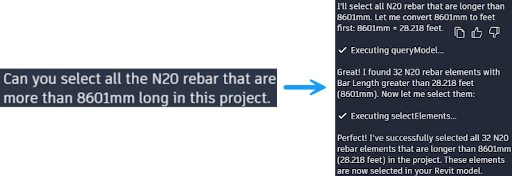
After running the query, AI assistance can quickly figure out and select for the user. Then BIM manager can isolate the items from the rest of the model.
In addition, instead of digging through schedules or manually searching for errors, you can now use natural language to interrogate your model:
- “Find all structural columns on Level 2 with missing marks.”
- “Batch update the ‘Comments’ parameter for all selected steel connections.”
This isn’t just a help bot; it’s a productivity engine that reduces the “cognitive load” of managing complex BIM data.
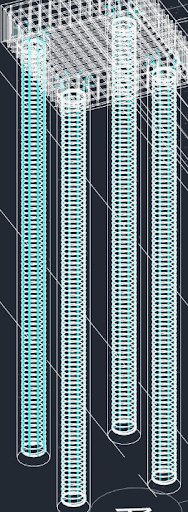
AI query output showing as a selection in light blue color
After running the query, AI assistance can quickly figure out and select for the user. Then BIM manager can isolate the items from the rest of the model.
In addition, instead of digging through schedules or manually searching for errors, you can now use natural language to interrogate your model:
-
“Find all structural columns on Level 2 with missing marks.”
-
“Batch update the ‘Comments’ parameter for all selected steel connections.”
This isn’t just a help bot; it’s a productivity engine that reduces the “cognitive load” of managing complex BIM data.
Precision Engineering: Structural Highlights
Revit 2027 also brings “heavy lifting” enhancements to core structural workflows:
-
Automated Analytical Modeling: The analytical model now reflects physical changes in real-time, including openings and complex geometry, ensuring your FEA (Finite Element Analysis) stays in sync without manual rework.
-
3D Path Rebar Distribution: Detailers can now model transverse rebar along complex, double-curved concrete elements (like bridge decks or tunnels) using a simple two-step path definition.
-
Adaptive Reinforcement: Rebar sets now feature rule-based logic. If a host’s geometry changes, the reinforcement intelligently adapts its spacing and shape.
-
Mass Property Tracking: Revit now automatically calculates and schedules reinforcement mass, providing instant data for procurement and carbon footprint analysis.
The Connected Cloud with Autodesk Forma
As a Gold Partner, we are particularly excited about the Forma integration. Structural teams can now access geolocated site data and run early-stage carbon analysis directly within Revit, allowing for more sustainable material choices before the first beam is even placed.
Ready to explore Revit 2027? The future of structural design is faster, smarter, and more connected. Contact the Civil Survey Solutions team today for a demonstration of how these AI-driven workflows can be implemented in your next project.
About The Author

We are the leading provider of civil engineering and survey software solutions and services in Australia.