If you haven’t already checked them out, Custom Variations greatly enhance cross-section editing capabilities well beyond the standard Variations in the software. They address task-specific edits such as applying kerb transitions, creating driveway laybacks, and designing pram ramps.
We were recently asked to create a variation to support a kerb washout. These are frequently used in water-sensitive urban designs to allow water collecting in the kerb to be directed into swale drains and basins for treatment.
How it Works
A kerb washout requires editing the kerb – much like a kerb layback – to lower the back of the kerb below the invert to drain away from the road. Additionally, you often need to regrade one or more codes behind the back of kerb to ensure water is directed properly into a swale.
While the kerb editing is similar to the much-loved Layback Kerb variation, the options for editing behind the kerb are different:
-
Single Variation Setup: Configure the entire washout kerb and the sections behind it in one step.
-
Transition to and from the washout: Setup up the transition distance into and out of the washout, as well as the washout length. You can readily duplication this variation and just change the start chainage to replicate multiple kerb washouts.
-
Grade Control: Pick an outer code and set a specific slope/level for the code. Any codes in between will have that same slope applied. This is ideal for directing water over verge and shoulder areas.
-
Outer Code Elevation Control: You set the outer code elevation with the following options:
-
Set a slope from back of kerb to the code and keep original offsets
-
Set an elevation for the code and keep original offsets
-
Set a slope from back of kerb to the code and keep widths
-
Set an elevation for the code and keep widths
-
Keep the original offset and elevation of the code. This is useful for urban designs where you have a fixed footpath edge or property level and need the crossfall to change to a single grade from the kerb invert.
-
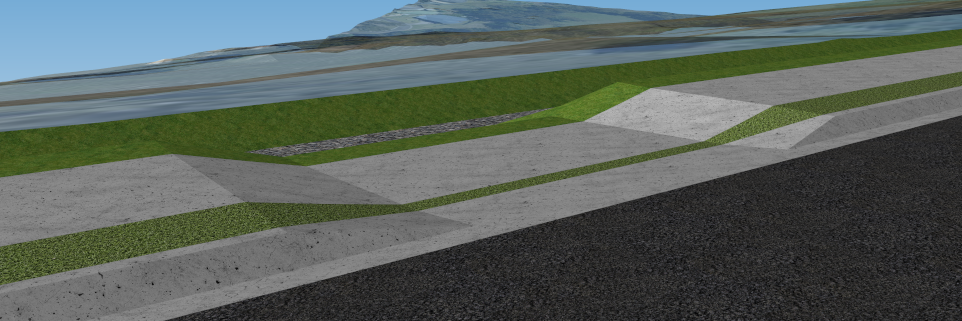
See below an image of a kerb washout in action. A slope has been specified to divert water from the kerb washout right across to the top of the swale drain.
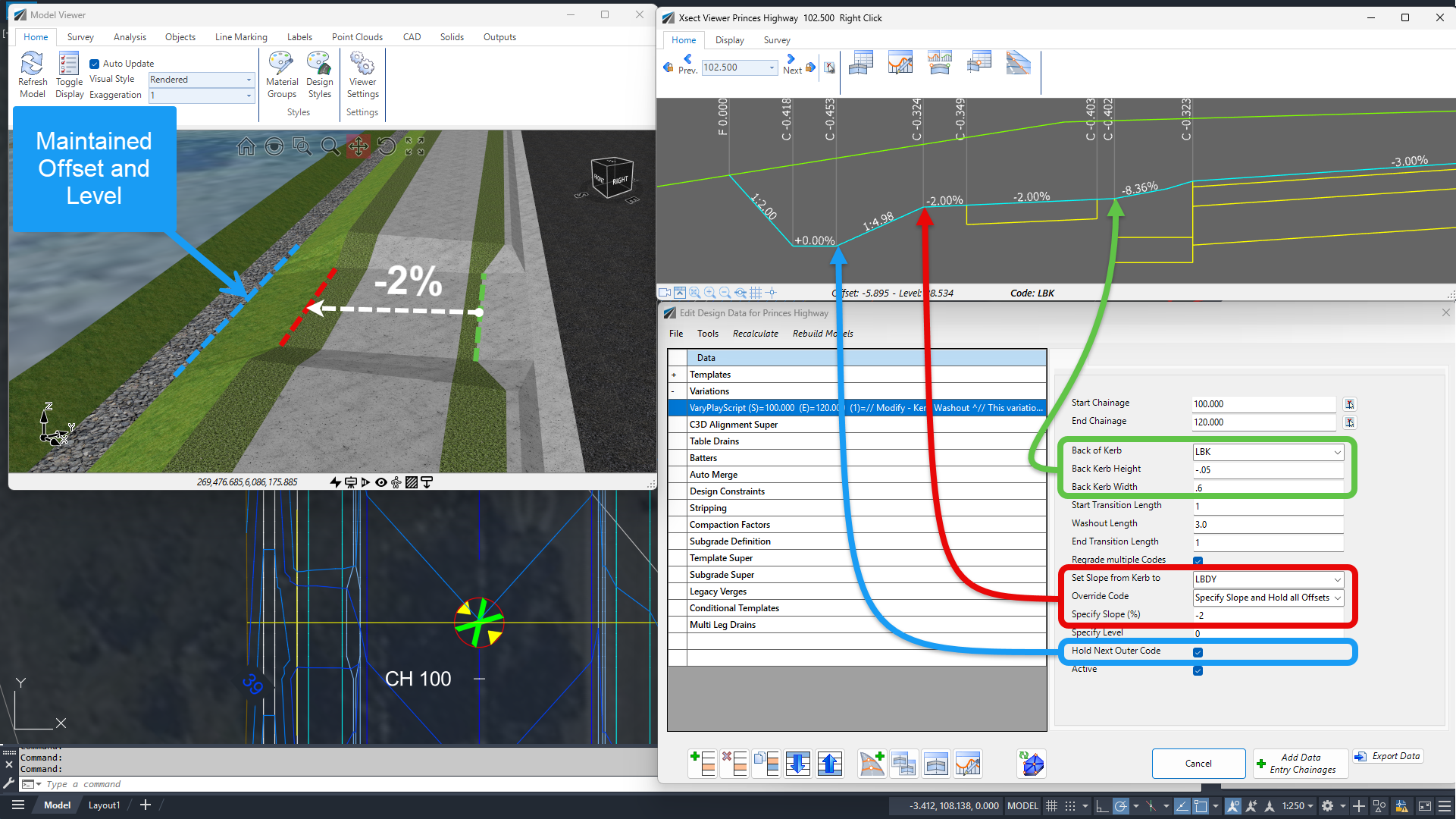
Kerb Washout Variation | Section and Model Viewer Outputs
This is also perfect for your usual driveway layback where you have a fixed property elevation and you want to grade from kerb back to property boundary.
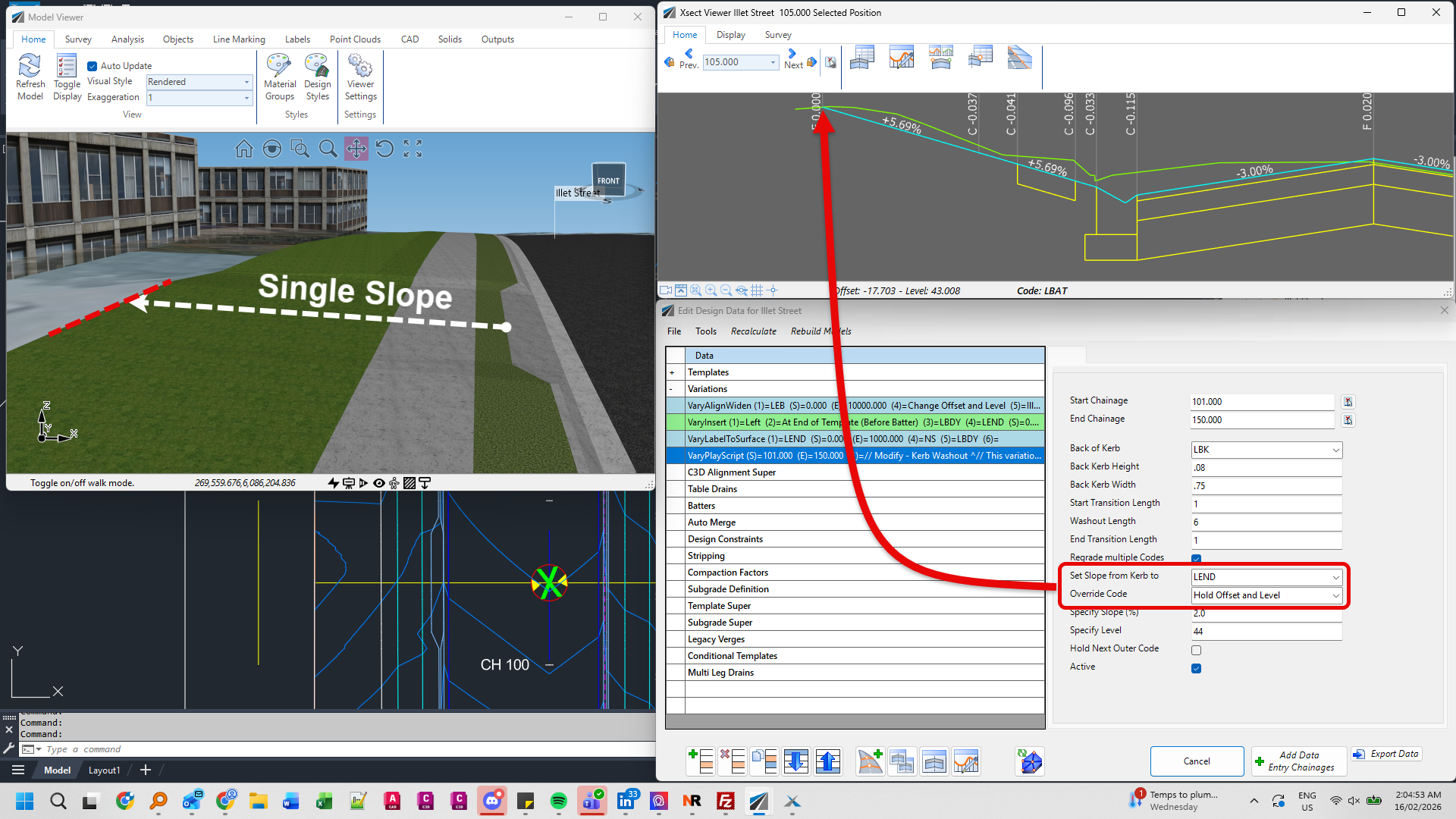
Kerb Washout | Average Slope to Fixed Code Position
To Use This Variation:
-
Set the Chainage Range: Define where the washout starts and ends (ensure the end chainage is beyond the actual washout, because washout chainages are set by the transitions and washout length).
-
Set Transitions: Define the transition into and out of the washout, as well as the length of the washout itself.
-
Position the Kerb: Set the back of kerb position relative to the invert.
-
Pick an Outer Code: Set this code, offset and elevation. All codes between the back of kerb and this point will be edited to a constant average slope.
-
Maintain Next Code (Optional): Set the next outer code to maintain its original offset and elevation—perfect for swale drains.
If you edit your design by changing your centreline elevations or edit code offsets/levels affected by this variation, remember to click the Recalculate button on the Design Data form to re-apply all variations and update the sections. Custom Variations don’t automatically update whenever you change the string design.
Availability
This variation will be included in the upcoming V27 release. However, if you would like to use it now, it is easy to add:
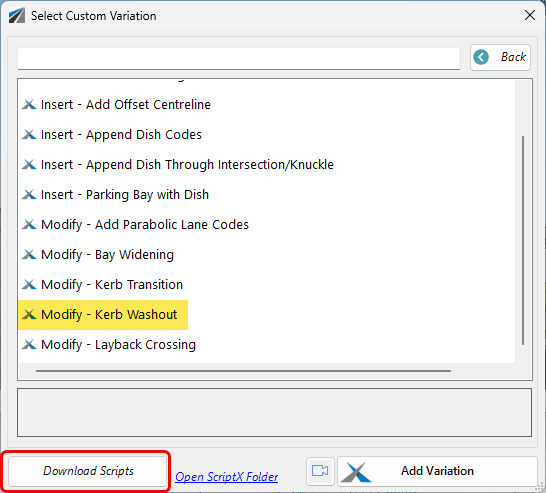
Select to add Add a Custom Variation, and when the Custom Variation form displays, click the Download button at the bottom. This will update your library and add the new tool.
About The Author

We are the leading provider of civil engineering and survey software solutions and services in Australia.